Quotex: create your account and explore the platform with a demo account
Online investment platform with 1-minute registration, a demo account with virtual balance to practice, local deposit methods and support every day.
What you get on Quotex
The points that matter most when you are opening your first account.
Demo account to practice
After signing up you get US$ 10,000 in virtual balance to explore the platform without using real money.
Accessible deposit
Minimum deposit from US$ 10 with local payment methods. Funds are usually credited in minutes.
Support every day
Chat and e-mail support for account, deposit and withdrawal questions.
Works on your phone
Use it in your phone or desktop browser, nothing to install.
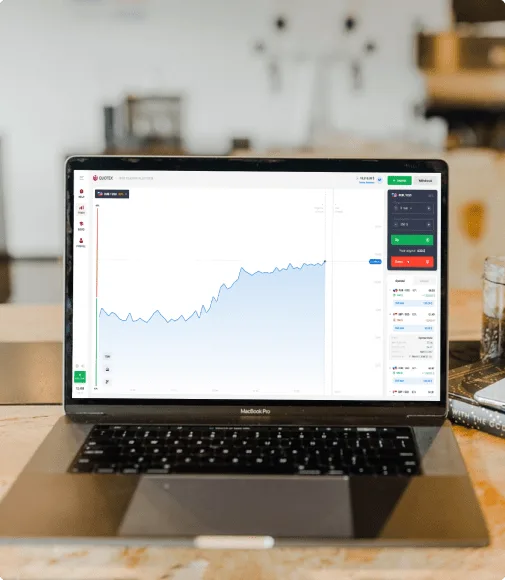
The platform, on your phone or desktop
Charts, balance, deposits and withdrawals in one dashboard.
- Demo and real account under the same login
- Charts with indicators and many assets
- Deposits and withdrawals from the dashboard
- Support every day
How to create your account
Three steps, no paperwork.
Sign up
Enter your e-mail and a password and confirm you are 18 or older.
Explore the platform
Use the demo account with virtual balance to understand the charts and tools.
Deposit when you want
If you decide to use the real account, deposit with a local method from your dashboard.
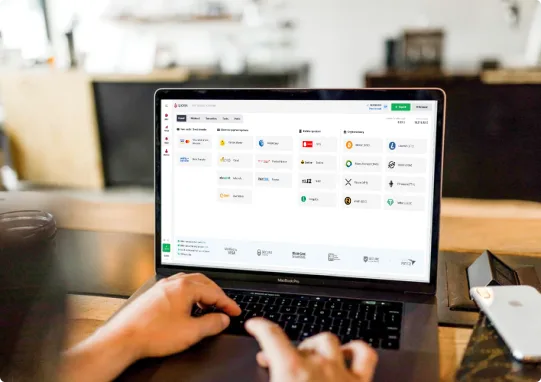
Deposits and withdrawals
Methods are chosen inside the Quotex dashboard after sign-up, and depend on your country. Withdrawals are requested from the same dashboard.
Learn before you start
Short guides, straight from the Quotex help center.
How to use the platform
A step-by-step tour of the interface and the main tools.
How to deposit
Methods available in your country and how long funds take.
How to withdraw
Where to request it, timing and security checks.
Demo vs real account
What changes between practicing with virtual balance and using the real account.
Guides on this site
Each guide was written from real use of the platform and the Quotex help center. No profit promises — just what you need to know before opening an account.
How to create a Quotex account, step by step
Registration takes about a minute and asks only for an e-mail and a password. Below is exactly what appears on screen, what to do at each st…
Quotex demo account: how it works
Every new account comes with a US$ 10,000 virtual demo account. It exists so you can learn the platform without risking money. This guide co…
Deposits and withdrawals on Quotex
Everything happens inside the real-account dashboard. Here are the methods, minimums, the timing Quotex states and what usually blocks a wit…
Security and identity verification
Before the first withdrawal Quotex asks for identity verification. This is standard on any financial platform and prevents someone else from…
Frequently asked questions
Short answers. When a topic deserves more detail, the link goes to the full guide.…
About this site
Transparency first: this site does not belong to Quotex. It is an independent guide about the platform.…
Demo vs real account: what changes
Both live under the same login. You switch between them with the balance selector at the top of the platform.
| Demo | Real | |
|---|---|---|
| Balance | US$ 10,000 virtual, refillable | What you deposited |
| Purpose | Learn the interface, test tools and charts | Trade with real money |
| Deposit | Not needed | From US$ 10 |
| Withdrawal | None (fictional balance) | From the dashboard, after verification |
| Identity verification | No | Yes, before the first withdrawal |
| Risk | Zero | You can lose the invested amount |
Checklist before your first deposit
- You are 18 or older and live in a country where the service is allowed
- You used the demo account for a few days and understand the interface
- You know which deposit method you will use and how long it takes
- You set aside an amount you can lose without affecting your monthly bills
- You read how withdrawals and identity verification work
- You enabled two-factor authentication on the account
Quick glossary
- Demo account
- Account with virtual balance for practice. No real money moves.
- FTD
- First time deposit. When the account stops being demo-only.
- Verification (KYC)
- Sending an ID and proof of address to confirm identity before withdrawing.
- Local method
- Payment method of your country (bank transfer, UPI, local wallets).
- Asset
- What you see on the chart: currency pairs, commodities, indices.
- Minimum withdrawal
- Smallest amount the platform releases per withdrawal request.
Frequently asked questions
Do I have to pay to create an account?
No. Registration is free and the demo account comes with a virtual balance. A deposit is only needed if you decide to use the real account.
What is the minimum deposit?
From US$ 10. The equivalent in your local currency is shown in the dashboard at the time of deposit.
How do I withdraw?
From your account dashboard, under Withdrawal, choosing a method. Timing depends on the method and on Quotex security checks.
Does it work on mobile?
Yes. The platform runs in the phone browser (Android and iPhone) and on desktop.
Who can use it?
People aged 18 or older in countries where the service is available. Quotex does not serve residents of some countries, such as the USA, Canada, Israel, Russia and EEA countries.
Is this the official Quotex website?
No. This is an independent guide about Quotex. Registration, deposits and support happen on the official website, qxbroker.com, where the buttons on this page lead.
Ready to create your account?
Create a Quotex accountYou will be taken to the Quotex website. Only an e-mail and a password to start.